
iPhone
1
Open Settings → Cellular / Mobile Data → Add eSIM.
2
Choose Use QR Code and scan the code in this email from another device.
3
Confirm the cellular plan and wait for installation to finish.
Three simple steps to get connected.
Before you start: connect to Wi-Fi and check that your phone supports eSIM and is carrier unlocked.
Connect to Wi-Fi, open your TASIMLA email and use the installation link on a supported device, or scan your personal QR code from another screen.
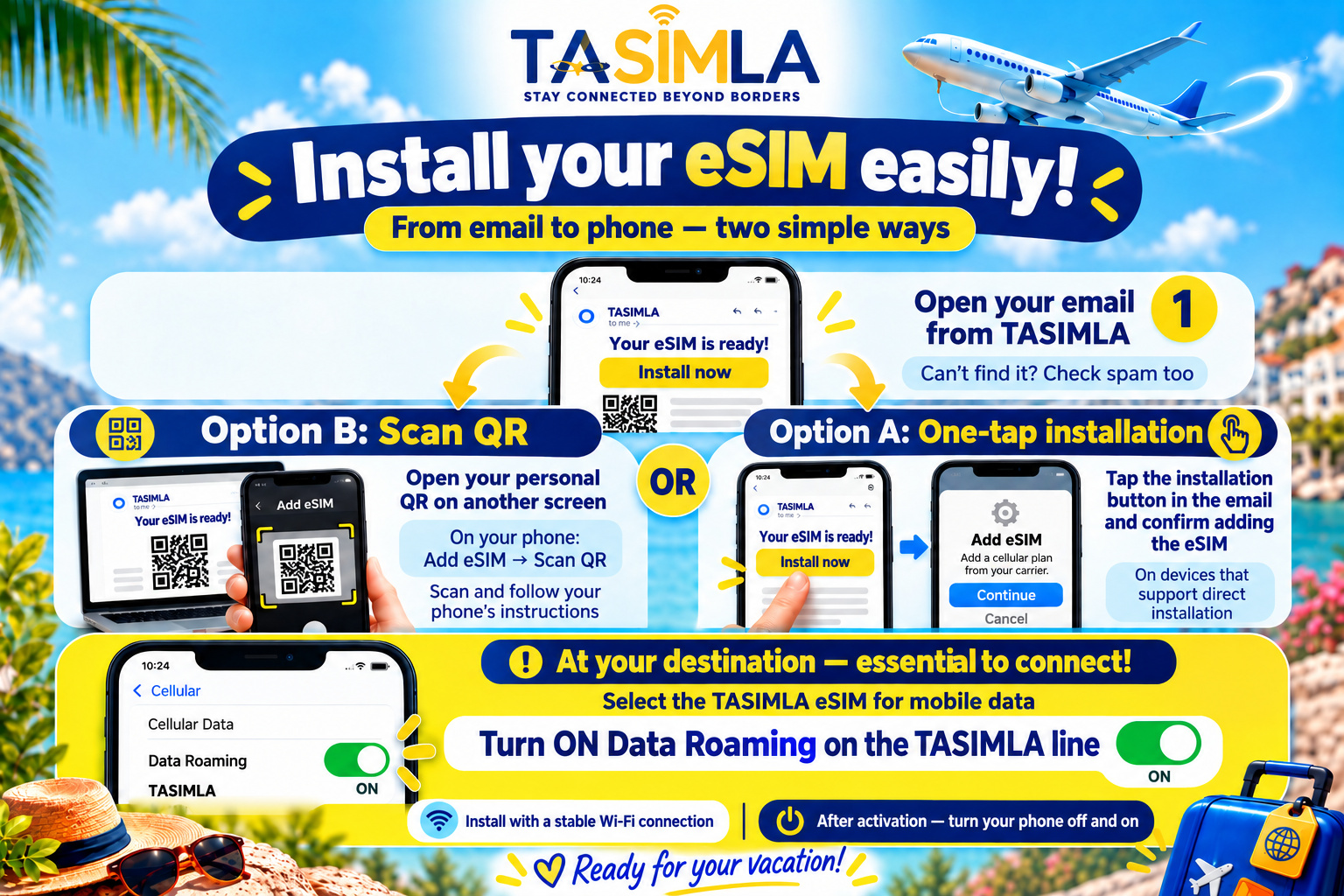
At your destination select the eSIM for mobile data and enable data roaming for it. Check your specific plan’s validity rules before activation. Restart your phone after selecting the eSIM for mobile data.
The codes in this poster are illustrative. Install using the personal link or QR code in your email.
Open the full-size poster ↗Open Settings → Cellular / Mobile Data → Add eSIM.
Choose Use QR Code and scan the code in this email from another device.
Confirm the cellular plan and wait for installation to finish.
Open Settings → Connections / Network & internet → SIM manager.
Choose Add eSIM and scan the code in this email from another device.
Confirm the prompts and wait for installation to finish.
At your destination select the eSIM for mobile data and enable data roaming for it. Check your specific plan’s validity rules before activation.
↻ Restart your phone after selecting the eSIM for mobile data.
Check that the eSIM is on, data roaming is enabled for it, and it is selected for mobile data. Restart; if needed, manually select a supported local network. Enter an APN only if your plan details provide one.
WhatsApp supportSupport is currently available in Hebrew.